
Special Forces Group 3: SFG3 for PC
Skill based wargame PvP shooter. Team action inspired by CSUpdated February 23, 2026
Special Forces Group 3: SFG3 PC Details
| Category | Action |
| Author | ForgeGames Mobile |
| Version | 1.8 |
| Size | 1.6 GB |
| What's New | fixed crashes |
Special Forces Group 3: SFG3 for PC Screenshots
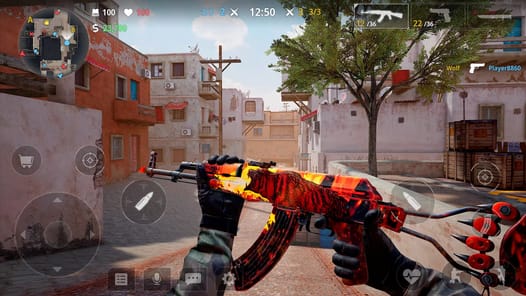
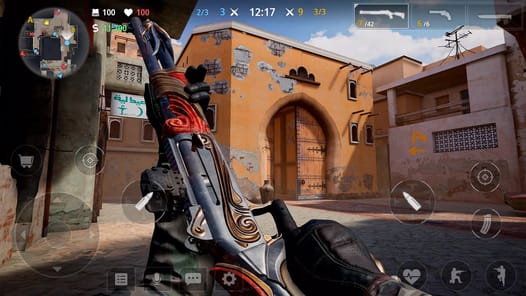
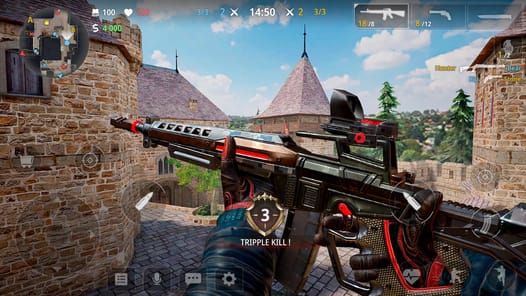
A Major Leap Forward in Mobile Action
Special Forces Group 3: SFG3 is here, and it's a huge step up. If you've played before, you will notice big changes right away. The game feels fresh and new. The most exciting update is the graphics. Everything looks sharper and more detailed, turning every match into a work of art. This new look makes the game more fun and exciting to play.
This sequel was worth the wait. It builds on what made the series great and adds many new features. From the maps to the characters, everything has been improved. It's clear a lot of work went into making Special Forces Group 3: SFG3 a fantastic experience for everyone.
What's New in Special Forces Group 3: SFG3?
Enhanced Visuals and Maps
The world of SFG3 is more detailed than ever. You can explore brand new maps that offer fresh challenges. Even the old maps you might remember have been given a makeover with more details. There is even a helpful map feature that shows you how big the playing area is. The difference between high and low graphics settings can be subtle, but the overall visual quality is excellent.
Deeper Customization and Gameplay
You have more ways to play your way in Special Forces Group 3: SFG3. You can add attachments to your weapons to make them better. There are also more characters to choose from, along with cool gear like scopes and masks. When you start a new game mode, the game now tells you what it's about and how it works. This makes it easy to jump right into the action.
Gameplay Experience and Features
Challenging Game Modes
Get ready for a real test of your skills. The Zombie mode is very challenging. Even on the easy setting, the zombies are tough to beat and can be hard to aim at. This mode offers a fun way to push your abilities to the limit. The bots in the game have more health, making every fight feel more important. You can also easily spectate them to watch the action unfold.
The In-Game Economy
One thing to know is how you get weapons in a match. It’s a bit different now. More experienced players may start with better armor and weapons. This can be a challenge for new players. You also have to play for a while to unlock everything. For example, the offline mode becomes available once you reach level 20.
Frequently Asked Questions about Special Forces Group 3: SFG3
How are the graphics?
The graphics are a giant step up from previous versions. They are much more detailed and make the game look amazing.
Can I customize my weapons?
Yes! You can add different attachments to your weapons to change how they perform in battle.
Are there new characters and maps?
Yes, Special Forces Group 3: SFG3 has more characters to choose from. It also features brand new maps and adds more detail to older, classic maps.
Is there an offline mode?
Yes, an offline mode is available. You can unlock it after you reach level 20 in the game.
How to Install Special Forces Group 3: SFG3 on PC
Below instructions allows you to download and install Special Forces Group 3: SFG3 app on Windows or MAC computer using an Android emulator. The process involves:
Download APK:Downloading the Special Forces Group 3: SFG3 APK file by choosing a version.
Install Android Emulator:There are a number of Android emulators the internet. Choose a emulator that works better with your PC. Now, download and install the Android emulator software.
Run the Emulator:Open the emulator you have just installed and configure the settings such as display, keywords, mouse etc.
Install Gene:Open the downloaded Special Forces Group 3: SFG3 APK file using the emulator, which will install Special Forces Group 3: SFG3 on Windows or MAC.